Rock Merge Templates | 186

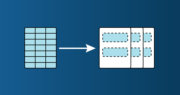
Did you know that Rock gives you the ability to merge data from most tables/lists of people into a word document?  For example, you may want to create mailing labels for a list of people… maybe you want to create a checkin sheet that you can print… or maybe you want to print labels to […]

Read More

The Dreaded B-word – Budgeting | 183

Today’s ProTip comes to you from our very own Josh Brossia!!  Budgeting has gotten a bad rap. It’s not meant to be the “no fun” or “I can’t do that” part of your life, but it does create intentionality while setting you up success and freedom.  Sample Budgeting Form – Budgeting Form  However, like in […]

Read More

External Email Warning | 182

We have built out some security updates to our email system to help users decipher legit emails from potentially harmful emails coming into our system. If you see either of these alerts, be conscientious of what you are clicking. To be clear, NOT ALL emails with these tags are bad! This is a tool to […]

Read More

Rock and PCO Permissions | 181

You may wonder or need a quick reminder what type of permissions between Rock and Planning Center are automated.  Here is a really brief reminder of what those automatic permissions look like. Coordinators/Admin will receive “Scheduler” access in PCO This will be removed each June 1 (end of the school year) This will be added/updated […]

Read More

Public Facing Group Names | 172

Todays ProTip is written by our very own Tristen Rayot! This ProTip will talk about an optional naming structure for our Small Groups. Group Viewer allows us to manage and organize our DreamTeam and Groups across the church! When it comes to Groups at W. Toledo, something that I have found very helpful is the […]

Read More

Group Registration Links | 168

Written by our very own Nathan Campbell, Next Steps Director of Groups at the Findlay Campus. Did you know that you can send a direct link to a guest that is interested in signing up for a specific Group? We have all been there when trying to help people get connected to a group find […]

Read More

Group Structures | 160

Groups Structure Picture it – you’re in a meeting and your leader has 20 team members gathered. The leader carries great vision, you’re personally inspired and ready to move and the team seems really ready to move too, but several weeks go by and no movement. 2 of the team members had a major family […]

Read More

Rock Bookmarks | 154

Did you know that Rock allows you to keep track of all your favorite pages, groups, people and reports.  In this ProTip we will take a second to explore the new feature for bookmarking your favorite pages. Just click the bookmark icon next to the search bar at the top of any page in Rock […]

Read More

Rock Communications & Save Drafts | 146

This ProTip is first going to go over the basics of an SMS screen as well as an EMAIL screen. At the end of this ProTip, we are going to show you where all those draft communications get saved! I have captured most of this information directly from a Rock Training. Sending SMS From Select […]

Read More

Unsubscribe from SMS Messages | 139

Have you ever wondered how a guest can subscribe or unsubscribe from text messages from CedarCreek? Well, thats a great question! There are actually 2 different ways to ensure that a person is subscribed or unsubscribed. The first way is from within Rock itself. To ensure that a person is capable of receiving a text […]

Read More