
Weekly ProTip: Using Communication Segments
Clear communication is essential to helping people stay informed and connected to what’s happening at CedarCreek. One feature in Rock that helps us communicate more effectively is Communication Segments. This tool allows you to target the right audience within a communication list so your messages are more relevant and impactful.
What Are Communication Segments?
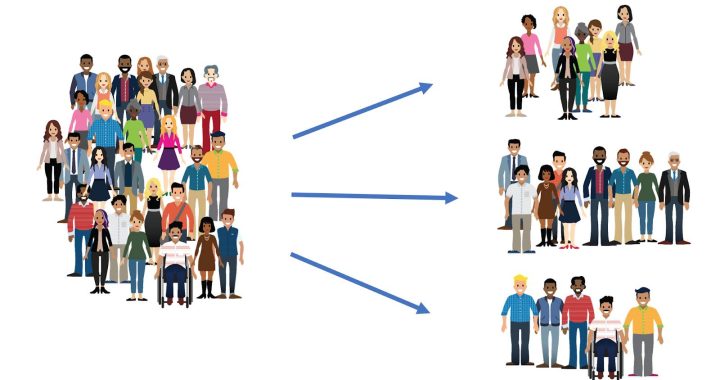
Communication Segments provide a way to select and filter people within a communication list based on any field in the system. Instead of sending a message to an entire list, segments allow you to narrow the audience to people who meet specific criteria.
This means your communication can be more personalized, more relevant, and less overwhelming for the people receiving it.
Where to Find Communication Segments
You can access Communication Segments through the Communication Wizard in Rock.
Navigate to:
Rock → People → Communication Wizard
The first thing you’ll need to do is select a Communication List.
What Is a Communication List?
A Communication List is a list of people who have subscribed to receive a specific type of content from the church. These lists allow people to opt into the communications they care about most.
Guests and attenders can subscribe or unsubscribe from our communication lists at any time by visiting:
https://my.cedarcreek.tv/page/1241
Some examples of Communication Lists include:
- Kids Ministry Updates
- State of the Creek
- Student Ministry Updates
- Weekly Need to Know
- Outreach Updates
- Questions in the Car
ProTip: Our staff communication lists are also available on this page.
Using Segments
Once you select the Communication List you’d like to send to, you’ll see the option to segment your communication list.
Segments allow you to filter the list based on specific attributes. Some common examples include:
- Home Campus
- Parents
- Gender
- Active Email
For example, you might want to send an update to everyone subscribed to Kids Ministry Updates, but only for a specific campus. Instead of emailing the entire list, you can apply a segment to narrow the recipients to only families connected to that campus.
Why This Matters
Communication Segments help us:
- Send more relevant messages to the right people
- Reduce unnecessary emails for people who don’t need certain information
- Ensure ministries can communicate clearly with their audience
By using segments, we can keep our communications focused, intentional, and helpful for the people we serve.
The next time you send a message through the Communication Wizard, take a moment to see if a segment could help you better target your audience.